Prerequisites
Before starting the tutorials, you need to set up the project and create the shared framework code that all tutorials will use.
Development Environment
- .NET 10.0 SDK or later
- A GPU with DirectX 12, Metal 4, or Vulkan 1.4 support
- Visual Studio 2026, VS Code, or JetBrains Rider
Note
These tutorials target desktop platforms: Windows, macOS, and Linux.
Creating the Project
dotnet new console -n ZenithTutorials
cd ZenithTutorials
Required Packages
dotnet add package Zenith.NET.DirectX12
dotnet add package Zenith.NET.Metal
dotnet add package Zenith.NET.Vulkan
dotnet add package Zenith.NET.Extensions.ImageSharp
dotnet add package Zenith.NET.Extensions.Slang
dotnet add package Silk.NET.Windowing
dotnet add package Silk.NET.Input
Project Configuration
Your .csproj should look like this:
<Project Sdk="Microsoft.NET.Sdk">

  <PropertyGroup>
    <OutputType>Exe</OutputType>
    <TargetFramework>net10.0</TargetFramework>
    <Nullable>enable</Nullable>
    <ImplicitUsings>enable</ImplicitUsings>
    <AllowUnsafeBlocks>true</AllowUnsafeBlocks>
  </PropertyGroup>

  <ItemGroup>
        <PackageReference Include="Silk.NET.Input" Version="*" />
        <PackageReference Include="Silk.NET.Windowing" Version="*" />
        <PackageReference Include="Zenith.NET.DirectX12" Version="*" />
        <PackageReference Include="Zenith.NET.Extensions.ImageSharp" Version="*" />
        <PackageReference Include="Zenith.NET.Extensions.Slang" Version="*" />
        <PackageReference Include="Zenith.NET.Metal" Version="*" />
        <PackageReference Include="Zenith.NET.Vulkan" Version="*" />
  </ItemGroup>

  <ItemGroup>
    <None Update="Assets\**\*">
      <CopyToOutputDirectory>PreserveNewest</CopyToOutputDirectory>
    </None>
  </ItemGroup>

</Project>
Note
AllowUnsafeBlocks is required because the tutorials use sizeof with custom structs for GPU buffer sizing.
Project Structure
ZenithTutorials/
├── Program.cs
├── App.cs
├── IRenderer.cs
├── BindingHelper.cs
├── CocoaHelper.cs
├── Usings.cs
├── Assets/
│   └── shoko.png
└── Renderers/
    ├── HelloTriangleRenderer.cs
    ├── TexturedQuadRenderer.cs
    ├── SpinningCubeRenderer.cs
    ├── ComputeShaderRenderer.cs
    ├── IndirectDrawingRenderer.cs
    ├── RayTracingRenderer.cs
    └── MeshShadingRenderer.cs
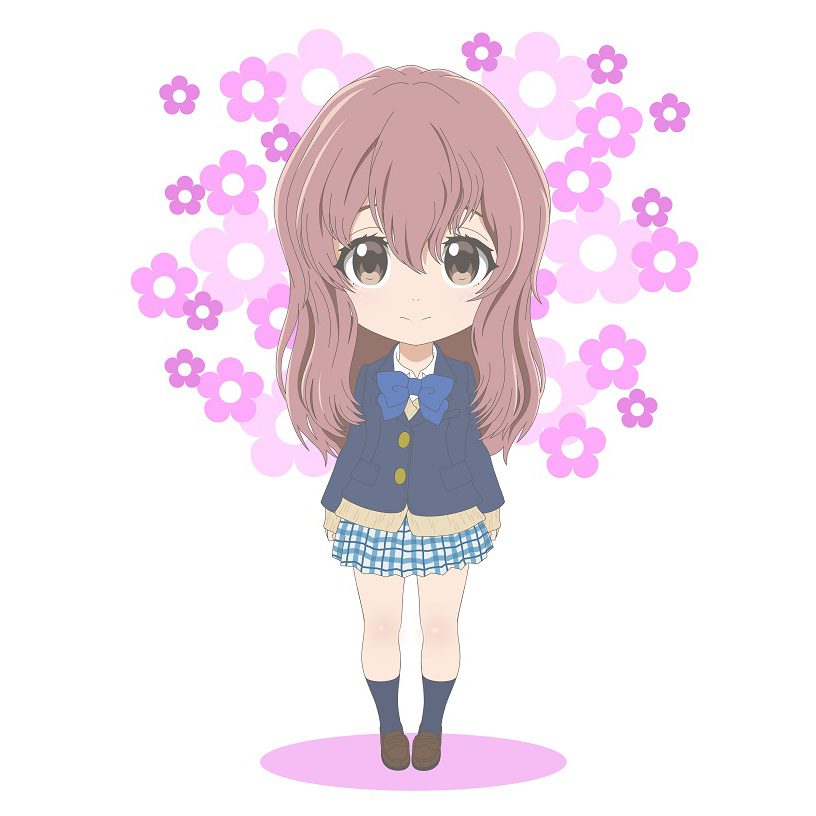
Asset File
Save the following image as Assets/shoko.png in your project (right-click → Save As):
Framework Code
The following files provide the shared infrastructure for all tutorials. Copy each file into your project.
Usings.cs
global using System.Numerics;
global using System.Runtime.CompilerServices;
global using System.Runtime.InteropServices;
global using Zenith.NET;
global using Zenith.NET.Extensions.ImageSharp;
global using Zenith.NET.Extensions.Slang;
global using Buffer = Zenith.NET.Buffer;
IRenderer.cs
All tutorial renderers implement this interface:
namespace ZenithTutorials;

internal interface IRenderer : IDisposable
{
    void Update(double deltaTime);

    void Render();

    void Resize(uint width, uint height);
}
| Method | Called | Purpose |
|---|---|---|
Update |
Every frame | Update logic (animations, transforms) |
Render |
Every frame | Issue GPU commands |
Resize |
On window resize | Recreate size-dependent resources |
Dispose |
On exit | Clean up GPU resources |
App.cs
The application framework manages window creation, graphics context initialization, and the render loop:
using Silk.NET.Windowing;
using Zenith.NET.DirectX12;
using Zenith.NET.Metal;
using Zenith.NET.Vulkan;

namespace ZenithTutorials;

internal static class App
{
    private static readonly IWindow window;
    private static readonly SwapChain swapChain;

    static App()
    {
        if (!OperatingSystem.IsWindows() && !OperatingSystem.IsMacOS() && !OperatingSystem.IsLinux())
        {
            throw new PlatformNotSupportedException("This application only supports Windows, macOS, and Linux.");
        }

        if (OperatingSystem.IsWindows())
        {
            Context = GraphicsContext.CreateDirectX12(useValidationLayer: true);
        }
        else if (OperatingSystem.IsMacOS())
        {
            Context = GraphicsContext.CreateMetal(useValidationLayer: true);
        }
        else
        {
            Context = GraphicsContext.CreateVulkan(useValidationLayer: true);
        }

        Context.ValidationMessage += static (sender, args) => Console.WriteLine($"[{args.Source} - {args.Severity}] {args.Message}");

        window = Window.Create(WindowOptions.Default with
        {
            API = GraphicsAPI.None,
            Title = "Zenith Tutorials",
            Size = new(1280, 720)
        });
        window.Initialize();
        window.Center();

        Surface surface;
        if (OperatingSystem.IsWindows())
        {
            surface = Surface.Win32(window.Native!.Win32!.Value.Hwnd, Width, Height);
        }
        else if (OperatingSystem.IsMacOS())
        {
            surface = Surface.Apple(CocoaHelper.CreateLayer(window.Native!.Cocoa!.Value), Width, Height);
        }
        else
        {
            surface = Surface.Xlib(window.Native!.X11!.Value.Display, (nint)window.Native.X11.Value.Window, Width, Height);
        }

        swapChain = Context.CreateSwapChain(new() { Surface = surface, ColorTargetFormat = PixelFormat.B8G8R8A8UNorm, DepthStencilTargetFormat = PixelFormat.D32FloatS8UInt });
    }

    public static GraphicsContext Context { get; }

    public static uint Width => (uint)window.FramebufferSize.X;

    public static uint Height => (uint)window.FramebufferSize.Y;

    public static FrameBuffer FrameBuffer => swapChain.FrameBuffer;

    public static void Run<TRenderer>() where TRenderer : IRenderer, new()
    {
        try
        {
            using TRenderer renderer = new();

            window.Update += delta =>
            {
                if (Width is 0 || Height is 0)
                {
                    return;
                }

                renderer.Update(delta);
            };

            window.Render += delta =>
            {
                if (Width is 0 || Height is 0)
                {
                    return;
                }

                renderer.Render();
                swapChain.Present();
            };

            window.Resize += size =>
            {
                if (Width is 0 || Height is 0)
                {
                    return;
                }

                renderer.Resize(Width, Height);
                swapChain.Resize(Width, Height);
            };

            window.Run();
        }
        finally
        {
            swapChain.Dispose();
            window.Dispose();

            Context.Dispose();
        }
    }
}
App provides:
| Member | Description |
|---|---|
Context |
The GraphicsContext for the current platform |
Width / Height |
Current framebuffer dimensions |
FrameBuffer |
The swap chain's current frame buffer |
Run<T>() |
Creates a renderer, runs the window loop, and cleans up on exit |
BindingHelper.cs
Each graphics backend (DirectX 12, Metal, Vulkan) uses different resource binding index conventions. BindingHelper assigns the correct indices automatically:
namespace ZenithTutorials;

internal static class BindingHelper
{
    public static ResourceBinding[] Bindings(params ResourceBinding[] bindings)
    {
        switch (App.Context.Backend)
        {
            case Backend.DirectX12:
                {
                    uint cbvIndex = 0;
                    uint srvIndex = 0;
                    uint uavIndex = 0;
                    uint samplerIndex = 0;

                    for (int i = 0; i < bindings.Length; i++)
                    {
                        ref ResourceBinding binding = ref bindings[i];

                        binding = binding with
                        {
                            Index = binding.Type switch
                            {
                                ResourceType.ConstantBuffer => cbvIndex++,

                                ResourceType.StructuredBuffer or
                                ResourceType.Texture or
                                ResourceType.AccelerationStructure => srvIndex++,

                                ResourceType.StructuredBufferReadWrite or
                                ResourceType.TextureReadWrite => uavIndex++,

                                ResourceType.Sampler => samplerIndex++,

                                _ => binding.Index
                            }
                        };
                    }
                }
                break;

            case Backend.Metal:
                {
                    uint bufferIndex = 0;
                    uint textureIndex = 0;
                    uint samplerIndex = 0;

                    for (int i = 0; i < bindings.Length; i++)
                    {
                        ref ResourceBinding binding = ref bindings[i];

                        binding = binding with
                        {
                            Index = binding.Type switch
                            {
                                ResourceType.ConstantBuffer or
                                ResourceType.StructuredBuffer or
                                ResourceType.StructuredBufferReadWrite or
                                ResourceType.AccelerationStructure => bufferIndex++,

                                ResourceType.Texture or
                                ResourceType.TextureReadWrite => textureIndex++,

                                ResourceType.Sampler => samplerIndex++,

                                _ => binding.Index
                            }
                        };
                    }
                }
                break;

            case Backend.Vulkan:
                {
                    for (int i = 0; i < bindings.Length; i++)
                    {
                        ref ResourceBinding binding = ref bindings[i];

                        binding = binding with { Index = (uint)i };
                    }
                }
                break;
        }

        return bindings;
    }
}
| Backend | Index Strategy |
|---|---|
| DirectX 12 | Separate counters per register type (CBV, SRV, UAV, Sampler) |
| Metal | Separate counters per resource category (Buffer, Texture, Sampler) |
| Vulkan | Sequential binding indices |
CocoaHelper.cs
Required for macOS to create a CAMetalLayer for the window surface:
namespace ZenithTutorials;

internal static partial class CocoaHelper
{
    private const string LibObjC = "/usr/lib/libobjc.A.dylib";

    [LibraryImport(LibObjC, EntryPoint = "objc_getClass")]
    private static partial nint GetClass([MarshalAs(UnmanagedType.LPUTF8Str)] string name);

    [LibraryImport(LibObjC, EntryPoint = "sel_registerName")]
    private static partial nint Selector([MarshalAs(UnmanagedType.LPUTF8Str)] string name);

    [LibraryImport(LibObjC, EntryPoint = "objc_msgSend")]
    private static partial nint Send(nint receiver, nint selector);

    [LibraryImport(LibObjC, EntryPoint = "objc_msgSend")]
    private static partial nint Send(nint receiver, nint selector, [MarshalAs(UnmanagedType.I1)] bool arg);

    [LibraryImport(LibObjC, EntryPoint = "objc_msgSend")]
    private static partial nint Send(nint receiver, nint selector, nint arg);

    public static nint CreateLayer(nint cocoa)
    {
        nint layer = Send(GetClass("CAMetalLayer"), Selector("layer"));
        Send(layer, Selector("retain"));

        nint view = Send(cocoa, Selector("contentView"));
        Send(view, Selector("setWantsLayer:"), true);
        Send(view, Selector("setLayer:"), layer);

        return layer;
    }
}
Note
On Windows and Linux, this file is not used but must be present to compile.
Program.cs
The entry point provides an interactive tutorial selector:
using ZenithTutorials;
using ZenithTutorials.Renderers;

(string Name, Action Run)[] tutorials =
[
    ("Hello Triangle",   App.Run<HelloTriangleRenderer>),
    ("Textured Quad",    App.Run<TexturedQuadRenderer>),
    ("Spinning Cube",    App.Run<SpinningCubeRenderer>),
    ("Compute Shader",   App.Run<ComputeShaderRenderer>),
    ("Indirect Drawing", App.Run<IndirectDrawingRenderer>),
    ("Ray Tracing",      App.Run<RayTracingRenderer>),
    ("Mesh Shading",     App.Run<MeshShadingRenderer>)
];

for (int i = 0; i < tutorials.Length; i++)
{
    Console.WriteLine($"{i + 1}. {tutorials[i].Name}");
}

Console.Write("Select a tutorial to run: ");

if (int.TryParse(Console.ReadKey().KeyChar.ToString(), out int choice) && choice >= 1 && choice <= tutorials.Length)
{
    Console.WriteLine($"\nRunning '{tutorials[choice - 1].Name}' tutorial...");

    tutorials[choice - 1].Run();
}
Tip
If you are following the tutorials sequentially, comment out renderers you haven't implemented yet to avoid build errors.
Next Steps
With the framework in place, you're ready to start the first tutorial:
- Hello Triangle - Render your first triangle with a graphics pipeline
Source Code
Tip
View the complete tutorial project on GitHub: ZenithTutorials