Mesh Shading
In this tutorial, you'll render 1,000 procedural UV spheres using the mesh shader pipeline with GPU-driven frustum culling. This demonstrates the modern mesh shading approach where geometry is generated and culled entirely on the GPU.
Note
This tutorial requires a GPU with mesh shading support (e.g., NVIDIA Turing+, AMD RDNA 2+, or Apple M3+).
Overview
This tutorial covers:
- Creating a mesh shading pipeline with amplification, mesh, and pixel stages
- Generating procedural sphere geometry (vertices and triangles) on the CPU
- Implementing GPU-driven frustum culling in the amplification shader
- Using
groupsharedmemory and atomic operations for visible instance compaction - Extracting frustum planes from the view-projection matrix
- Dispatching mesh groups with
DispatchMesh
Key Concepts
Mesh Shader Pipeline
The mesh shader pipeline replaces the traditional vertex/geometry pipeline:
| Stage | Role | Thread Group Size |
|---|---|---|
| Amplification | Decides which mesh groups to spawn (culling) | 32 |
| Mesh | Outputs vertices and triangles per group | 120 |
| Pixel | Standard fragment shading | — |
Frustum Culling
The amplification shader tests each instance's bounding sphere against 6 frustum planes. Only visible instances are passed to mesh shader groups via a payload:
Payload { InstanceIndices[ASGroupSize] }

// Amplification:
visible = !IsFrustumCulled(position, radius)
if (visible) payload.InstanceIndices[atomicAdd(count)] = instanceIndex
DispatchMesh(visibleCount, 1, 1, payload)
The Renderer Class
Create the file Renderers/MeshShadingRenderer.cs:
namespace ZenithTutorials.Renderers;

internal unsafe class MeshShadingRenderer : IRenderer
{
    private const uint ASGroupSize = 32;
    private const uint MeshGroupSize = 120;
    private const uint GridSize = 10;
    private const uint TotalInstances = GridSize * GridSize * GridSize;
    private const uint DispatchGroupCount = (TotalInstances + ASGroupSize - 1) / ASGroupSize;

    private const string ShaderSource = """
        static const uint GridSize = 10;
        static const uint TotalInstances = GridSize * GridSize * GridSize;
        static const float InstanceSpacing = 2.5;
        static const uint ASGroupSize = 32;
        static const float BoundingSphereRadius = 0.5;

        static const uint SphereVertexCount = 62;
        static const uint SphereTriangleCount = 120;
        static const float GridOffset = float(GridSize - 1) * 0.5 * InstanceSpacing;

        struct Vertex
        {
            private float4 PositionAndPadding;

            private float4 NormalAndPadding;

            property float3 Position
            {
                get {
                    return PositionAndPadding.xyz;
                }
            }

            property float3 Normal
            {
                get {
                    return NormalAndPadding.xyz;
                }
            }
        };

        struct Triangle
        {
            private uint4 IndicesAndPadding;

            property uint3 Indices
            {
                get {
                    return IndicesAndPadding.xyz;
                }
            }
        };

        struct Payload
        {
            uint InstanceIndices[ASGroupSize];
        };

        struct VertexOutput
        {
            float4 Position : SV_POSITION;

            float3 WorldNormal : WORLDNORMAL;

            float3 Color : COLOR;
        };

        struct Constants
        {
            float4x4 ViewProjection;

            float4 FrustumPlanes[6];

            private float4 TimeAndLightDirection;

            property float Time
            {
                get {
                    return TimeAndLightDirection.x;
                }
            }

            property float3 LightDirection
            {
                get {
                    return TimeAndLightDirection.yzw;
                }
            }
        };

        void DecomposeInstanceID(uint id, out uint x, out uint y, out uint z)
        {
            x = id % GridSize;
            y = (id / GridSize) % GridSize;
            z = id / (GridSize * GridSize);
        }

        float3 InstancePosition(uint id)
        {
            uint x, y, z;
            DecomposeInstanceID(id, x, y, z);
            return float3(x, y, z) * InstanceSpacing - GridOffset;
        }

        float3 InstanceColor(uint id)
        {
            uint x, y, z;
            DecomposeInstanceID(id, x, y, z);
            return float3(x, y, z) / float(GridSize - 1);
        }

        bool IsFrustumCulled(float3 center, float radius)
        {
            for (uint i = 0; i < 6; i++)
            {
                float4 plane = constants.FrustumPlanes[i];
                if (dot(plane.xyz, center) + plane.w < -radius)
                {
                    return true;
                }
            }
            return false;
        }

        ConstantBuffer<Constants> constants;
        StructuredBuffer<Vertex> vertices;
        StructuredBuffer<Triangle> indices;

        groupshared Payload s_payload;
        groupshared uint s_visibleCount;

        [shader("amplification")]
        [numthreads(ASGroupSize, 1, 1)]
        void ASMain(uint groupID: SV_GroupID, uint groupThreadID: SV_GroupThreadID)
        {
            uint instanceIndex = groupID * ASGroupSize + groupThreadID;

            bool visible = false;
            if (instanceIndex < TotalInstances)
            {
                float3 worldPos = InstancePosition(instanceIndex);
                visible = !IsFrustumCulled(worldPos, BoundingSphereRadius);
            }

            if (groupThreadID == 0)
            {
                s_visibleCount = 0;
            }

            GroupMemoryBarrierWithGroupSync();

            if (visible)
            {
                uint offset;
                InterlockedAdd(s_visibleCount, 1, offset);
                s_payload.InstanceIndices[offset] = instanceIndex;
            }

            GroupMemoryBarrierWithGroupSync();

            DispatchMesh(s_visibleCount, 1, 1, s_payload);
        }

        [shader("mesh")]
        [numthreads(120, 1, 1)]
        [outputtopology("triangle")]
        void MSMain(uint groupID: SV_GroupID, uint groupThreadID: SV_GroupThreadID, in payload Payload meshPayload,
                    OutputVertices<VertexOutput, 62> outVertices, OutputIndices<uint3, 120> outIndices)
        {
            uint instanceIndex = meshPayload.InstanceIndices[groupID];
            float3 instancePos = InstancePosition(instanceIndex);
            float3 color = InstanceColor(instanceIndex);

            SetMeshOutputCounts(SphereVertexCount, SphereTriangleCount);

            if (groupThreadID < SphereVertexCount)
            {
                Vertex v = vertices[groupThreadID];
                float3 worldPos = v.Position + instancePos;

                VertexOutput output;
                output.Position = mul(float4(worldPos, 1.0), constants.ViewProjection);
                output.WorldNormal = v.Normal;
                output.Color = color;

                outVertices[groupThreadID] = output;
            }

            if (groupThreadID < SphereTriangleCount)
            {
                outIndices[groupThreadID] = indices[groupThreadID].Indices;
            }
        }

        [shader("pixel")]
        float4 PSMain(VertexOutput input) : SV_TARGET
        {
            float3 lightDir = normalize(constants.LightDirection);
            float3 normal = normalize(input.WorldNormal);
            float ndotl = max(dot(normal, lightDir), 0.0);

            float3 ambient = input.Color * 0.15;
            float3 diffuse = input.Color * ndotl * 0.85;

            return float4(ambient + diffuse, 1.0);
        }
        """;

    private readonly Buffer vertexBuffer;
    private readonly Buffer indexBuffer;
    private readonly Buffer constantsBuffer;
    private readonly ResourceLayout resourceLayout;
    private readonly ResourceTable resourceTable;
    private readonly MeshShadingPipeline pipeline;

    private float totalTime;

    public MeshShadingRenderer()
    {
        if (!App.Context.Capabilities.MeshShadingSupported)
        {
            throw new NotSupportedException("Mesh shading is not supported on this device.");
        }

        const int lonSegments = 12;
        const int latSegments = 6;
        const float radius = 0.5f;

        List<Vertex> sphereVertices = [];
        List<Triangle> sphereTriangles = [];

        sphereVertices.Add(new() { Position = new(0, radius, 0), Normal = Vector3.UnitY });

        for (int lat = 1; lat < latSegments; lat++)
        {
            float phi = MathF.PI * lat / latSegments;
            float sinPhi = MathF.Sin(phi);
            float cosPhi = MathF.Cos(phi);

            for (int lon = 0; lon < lonSegments; lon++)
            {
                float theta = 2.0f * MathF.PI * lon / lonSegments;
                Vector3 normal = new(sinPhi * MathF.Cos(theta), cosPhi, sinPhi * MathF.Sin(theta));

                sphereVertices.Add(new() { Position = normal * radius, Normal = normal });
            }
        }

        sphereVertices.Add(new() { Position = new(0, -radius, 0), Normal = -Vector3.UnitY });

        for (int lon = 0; lon < lonSegments; lon++)
        {
            uint next = (uint)((lon + 1) % lonSegments);

            sphereTriangles.Add(new() { Index0 = 0, Index1 = (uint)(1 + lon), Index2 = 1 + next });
        }

        for (int lat = 0; lat < latSegments - 2; lat++)
        {
            for (int lon = 0; lon < lonSegments; lon++)
            {
                uint next = (uint)((lon + 1) % lonSegments);
                uint tl = (uint)(1 + (lat * lonSegments) + lon);
                uint tr = (uint)(1 + (lat * lonSegments)) + next;
                uint bl = (uint)(1 + ((lat + 1) * lonSegments) + lon);
                uint br = (uint)(1 + ((lat + 1) * lonSegments)) + next;

                sphereTriangles.Add(new() { Index0 = tl, Index1 = bl, Index2 = tr });
                sphereTriangles.Add(new() { Index0 = tr, Index1 = bl, Index2 = br });
            }
        }

        uint bottomPole = (uint)(sphereVertices.Count - 1);
        uint lastRing = 1 + ((latSegments - 2) * lonSegments);

        for (int lon = 0; lon < lonSegments; lon++)
        {
            uint next = (uint)((lon + 1) % lonSegments);

            sphereTriangles.Add(new() { Index0 = bottomPole, Index1 = lastRing + next, Index2 = lastRing + (uint)lon });
        }

        Vertex[] vertexData = [.. sphereVertices];
        Triangle[] triangleData = [.. sphereTriangles];

        vertexBuffer = App.Context.CreateBuffer(new()
        {
            SizeInBytes = (uint)(sizeof(Vertex) * vertexData.Length),
            StrideInBytes = (uint)sizeof(Vertex),
            Flags = BufferUsageFlags.ShaderResource
        });
        vertexBuffer.Upload(vertexData, 0);

        indexBuffer = App.Context.CreateBuffer(new()
        {
            SizeInBytes = (uint)(sizeof(Triangle) * triangleData.Length),
            StrideInBytes = (uint)sizeof(Triangle),
            Flags = BufferUsageFlags.ShaderResource
        });
        indexBuffer.Upload(triangleData, 0);

        constantsBuffer = App.Context.CreateBuffer(new()
        {
            SizeInBytes = (uint)sizeof(Constants),
            StrideInBytes = (uint)sizeof(Constants),
            Flags = BufferUsageFlags.Constant | BufferUsageFlags.MapWrite
        });

        resourceLayout = App.Context.CreateResourceLayout(new()
        {
            Bindings = BindingHelper.Bindings
            (
                new() { Type = ResourceType.ConstantBuffer, Count = 1, StageFlags = ShaderStageFlags.Amplification | ShaderStageFlags.Mesh | ShaderStageFlags.Pixel },
                new() { Type = ResourceType.StructuredBuffer, Count = 1, StageFlags = ShaderStageFlags.Mesh },
                new() { Type = ResourceType.StructuredBuffer, Count = 1, StageFlags = ShaderStageFlags.Mesh }
            )
        });

        resourceTable = App.Context.CreateResourceTable(new()
        {
            Layout = resourceLayout,
            Resources = [constantsBuffer, vertexBuffer, indexBuffer]
        });

        using Shader ampShader = App.Context.LoadShaderFromSource(ShaderSource, "ASMain", ShaderStageFlags.Amplification);
        using Shader meshShader = App.Context.LoadShaderFromSource(ShaderSource, "MSMain", ShaderStageFlags.Mesh);
        using Shader pixelShader = App.Context.LoadShaderFromSource(ShaderSource, "PSMain", ShaderStageFlags.Pixel);

        pipeline = App.Context.CreateMeshShadingPipeline(new()
        {
            RenderStates = new()
            {
                RasterizerState = RasterizerStates.CullBack,
                DepthStencilState = DepthStencilStates.Default,
                BlendState = BlendStates.Opaque
            },
            Amplification = ampShader,
            Mesh = meshShader,
            Pixel = pixelShader,
            ResourceLayout = resourceLayout,
            PrimitiveTopology = PrimitiveTopology.TriangleList,
            Output = App.FrameBuffer.Output,
            AmplificationThreadGroupSizeX = ASGroupSize,
            AmplificationThreadGroupSizeY = 1,
            AmplificationThreadGroupSizeZ = 1,
            MeshThreadGroupSizeX = MeshGroupSize,
            MeshThreadGroupSizeY = 1,
            MeshThreadGroupSizeZ = 1
        });
    }

    public void Update(double deltaTime)
    {
        totalTime += (float)deltaTime;

        float angle = totalTime * 0.3f;

        Vector3 cameraPos = new(35.0f * MathF.Sin(angle), 20.0f * MathF.Sin(totalTime * 0.2f), 35.0f * MathF.Cos(angle));

        Matrix4x4 view = Matrix4x4.CreateLookAt(cameraPos, Vector3.Zero, Vector3.UnitY);
        Matrix4x4 projection = Matrix4x4.CreatePerspectiveFieldOfView(float.DegreesToRadians(45.0f), (float)App.Width / App.Height, 0.1f, 200.0f);
        Matrix4x4 viewProjection = view * projection;

        constantsBuffer.Upload([new Constants()
        {
            ViewProjection = viewProjection,
            FrustumPlane0 = NormalizePlane(new(viewProjection.M11 + viewProjection.M14, viewProjection.M21 + viewProjection.M24, viewProjection.M31 + viewProjection.M34, viewProjection.M41 + viewProjection.M44)),
            FrustumPlane1 = NormalizePlane(new(viewProjection.M14 - viewProjection.M11, viewProjection.M24 - viewProjection.M21, viewProjection.M34 - viewProjection.M31, viewProjection.M44 - viewProjection.M41)),
            FrustumPlane2 = NormalizePlane(new(viewProjection.M12 + viewProjection.M14, viewProjection.M22 + viewProjection.M24, viewProjection.M32 + viewProjection.M34, viewProjection.M42 + viewProjection.M44)),
            FrustumPlane3 = NormalizePlane(new(viewProjection.M14 - viewProjection.M12, viewProjection.M24 - viewProjection.M22, viewProjection.M34 - viewProjection.M32, viewProjection.M44 - viewProjection.M42)),
            FrustumPlane4 = NormalizePlane(new(viewProjection.M13, viewProjection.M23, viewProjection.M33, viewProjection.M43)),
            FrustumPlane5 = NormalizePlane(new(viewProjection.M14 - viewProjection.M13, viewProjection.M24 - viewProjection.M23, viewProjection.M34 - viewProjection.M33, viewProjection.M44 - viewProjection.M43)),
            Time = totalTime,
            LightDirection = -Vector3.Normalize(cameraPos)
        }], 0);
    }

    public void Render()
    {
        CommandBuffer commandBuffer = App.Context.Graphics.CommandBuffer();

        commandBuffer.BeginRenderPass(App.FrameBuffer, new()
        {
            ColorValues = [new(0.05f, 0.05f, 0.08f, 1.0f)],
            Depth = 1.0f,
            Stencil = 0,
            Flags = ClearFlags.All
        }, resourceTable);

        commandBuffer.SetPipeline(pipeline);
        commandBuffer.SetResourceTable(resourceTable);
        commandBuffer.DispatchMesh(DispatchGroupCount, 1, 1);

        commandBuffer.EndRenderPass();

        commandBuffer.Submit(waitForCompletion: true);
    }

    public void Resize(uint width, uint height)
    {
    }

    public void Dispose()
    {
        pipeline.Dispose();
        resourceTable.Dispose();
        resourceLayout.Dispose();
        constantsBuffer.Dispose();
        indexBuffer.Dispose();
        vertexBuffer.Dispose();
    }

    private static Vector4 NormalizePlane(Vector4 plane)
    {
        return plane / new Vector3(plane.X, plane.Y, plane.Z).Length();
    }
}

[StructLayout(LayoutKind.Explicit, Size = 32)]
file struct Vertex
{
    [FieldOffset(0)]
    public Vector3 Position;

    [FieldOffset(16)]
    public Vector3 Normal;
}

[StructLayout(LayoutKind.Explicit, Size = 16)]
file struct Triangle
{
    [FieldOffset(0)]
    public uint Index0;

    [FieldOffset(4)]
    public uint Index1;

    [FieldOffset(8)]
    public uint Index2;
}

[StructLayout(LayoutKind.Explicit, Size = 176)]
file struct Constants
{
    [FieldOffset(0)]
    public Matrix4x4 ViewProjection;

    [FieldOffset(64)]
    public Vector4 FrustumPlane0;

    [FieldOffset(80)]
    public Vector4 FrustumPlane1;

    [FieldOffset(96)]
    public Vector4 FrustumPlane2;

    [FieldOffset(112)]
    public Vector4 FrustumPlane3;

    [FieldOffset(128)]
    public Vector4 FrustumPlane4;

    [FieldOffset(144)]
    public Vector4 FrustumPlane5;

    [FieldOffset(160)]
    public float Time;

    [FieldOffset(164)]
    public Vector3 LightDirection;
}
Running the Tutorial
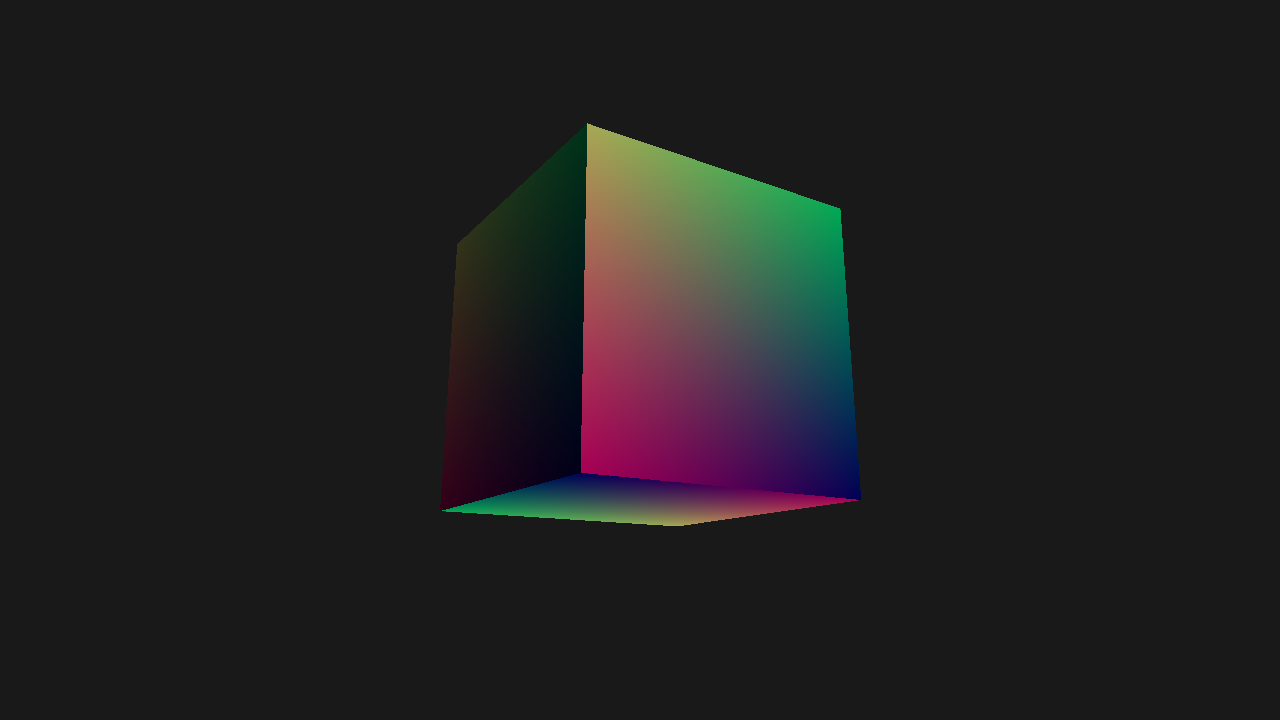
Run the application and select 7. Mesh Shading from the menu:
dotnet run
Result
Code Breakdown
Procedural Sphere Geometry
The sphere is generated as a UV sphere with 12 longitude and 6 latitude segments, producing 62 vertices and 120 triangles:
sphereVertices.Add(new() { Position = new(0, radius, 0), Normal = Vector3.UnitY });

for (int lat = 1; lat < latSegments; lat++)
{
    float phi = MathF.PI * lat / latSegments;
    float sinPhi = MathF.Sin(phi);
    float cosPhi = MathF.Cos(phi);

    for (int lon = 0; lon < lonSegments; lon++)
    {
        float theta = 2.0f * MathF.PI * lon / lonSegments;
        Vector3 normal = new(sinPhi * MathF.Cos(theta), cosPhi, sinPhi * MathF.Sin(theta));

        sphereVertices.Add(new() { Position = normal * radius, Normal = normal });
    }
}

sphereVertices.Add(new() { Position = new(0, -radius, 0), Normal = -Vector3.UnitY });
The vertex and index data are stored in StructuredBuffer resources (not vertex/index buffers), since mesh shaders read geometry data directly.
Mesh Shading Pipeline
The pipeline configuration specifies thread group sizes for both amplification and mesh stages:
pipeline = App.Context.CreateMeshShadingPipeline(new()
{
    RenderStates = new()
    {
        RasterizerState = RasterizerStates.CullBack,
        DepthStencilState = DepthStencilStates.Default,
        BlendState = BlendStates.Opaque
    },
    Amplification = ampShader,
    Mesh = meshShader,
    Pixel = pixelShader,
    ResourceLayout = resourceLayout,
    PrimitiveTopology = PrimitiveTopology.TriangleList,
    Output = App.FrameBuffer.Output,
    AmplificationThreadGroupSizeX = ASGroupSize,
    AmplificationThreadGroupSizeY = 1,
    AmplificationThreadGroupSizeZ = 1,
    MeshThreadGroupSizeX = MeshGroupSize,
    MeshThreadGroupSizeY = 1,
    MeshThreadGroupSizeZ = 1
});
Amplification Shader (Culling)
The amplification shader tests each instance against the camera frustum and only dispatches mesh groups for visible instances:
[shader("amplification")]
[numthreads(ASGroupSize, 1, 1)]
void ASMain(uint groupID: SV_GroupID, uint groupThreadID: SV_GroupThreadID)
{
    uint instanceIndex = groupID * ASGroupSize + groupThreadID;

    bool visible = false;
    if (instanceIndex < TotalInstances)
    {
        float3 worldPos = InstancePosition(instanceIndex);
        visible = !IsFrustumCulled(worldPos, BoundingSphereRadius);
    }

    if (groupThreadID == 0)
    {
        s_visibleCount = 0;
    }

    GroupMemoryBarrierWithGroupSync();

    if (visible)
    {
        uint offset;
        InterlockedAdd(s_visibleCount, 1, offset);
        s_payload.InstanceIndices[offset] = instanceIndex;
    }

    GroupMemoryBarrierWithGroupSync();

    DispatchMesh(s_visibleCount, 1, 1, s_payload);
}
Key steps:
- Each thread checks one instance against 6 frustum planes
- Visible instances are compacted into a
groupsharedpayload usingInterlockedAdd DispatchMeshspawns only as many mesh groups as there are visible instances
Frustum Plane Extraction
Frustum planes are extracted from the view-projection matrix on the CPU:
FrustumPlane0 = NormalizePlane(new(viewProjection.M11 + viewProjection.M14, viewProjection.M21 + viewProjection.M24, viewProjection.M31 + viewProjection.M34, viewProjection.M41 + viewProjection.M44)),
| Plane | Extraction |
|---|---|
| Left | Row 4 + Row 1 |
| Right | Row 4 - Row 1 |
| Bottom | Row 4 + Row 2 |
| Top | Row 4 - Row 2 |
| Near | Row 3 |
| Far | Row 4 - Row 3 |
Constants Layout
The Constants struct packs all per-frame data into 176 bytes:
[StructLayout(LayoutKind.Explicit, Size = 176)]
file struct Constants
{
    [FieldOffset(0)]
    public Matrix4x4 ViewProjection;

    [FieldOffset(64)]
    public Vector4 FrustumPlane0;

    [FieldOffset(80)]
    public Vector4 FrustumPlane1;

    [FieldOffset(96)]
    public Vector4 FrustumPlane2;

    [FieldOffset(112)]
    public Vector4 FrustumPlane3;

    [FieldOffset(128)]
    public Vector4 FrustumPlane4;

    [FieldOffset(144)]
    public Vector4 FrustumPlane5;

    [FieldOffset(160)]
    public float Time;

    [FieldOffset(164)]
    public Vector3 LightDirection;
}
The constant buffer is shared across all three shader stages (Amplification | Mesh | Pixel), so the amplification shader can read frustum planes while the pixel shader reads the light direction.
Source Code
Tip
View the complete source code on GitHub: MeshShadingRenderer.cs